In Part I, I set up my K4 to be controlled with a with a Genovation ControlPad and a Raspberry Pi Zero 2, using a derivation of a project posted by my friend, Dave Cole NK7Z.
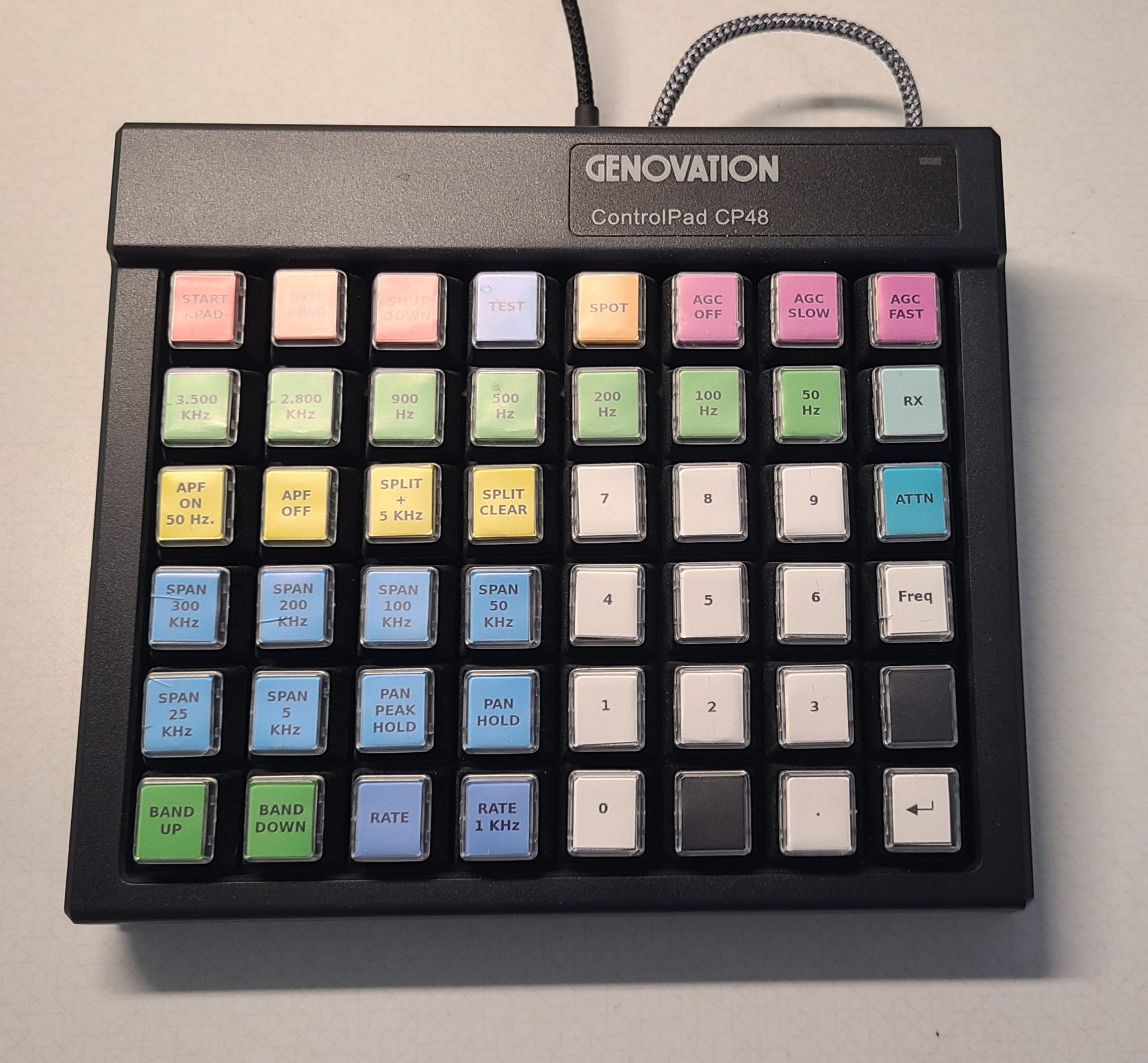
It allows me to :
-
- Type frequencies on a 10-key pad
- Have most of the radio commands I want all in one place
- Perform multiple actions (like split and unsplit) with one button
Then I realized I could do the same using my PC if I had software that only listened to the Genovation ControlPad.
The Genovation ControlPad (regardless of how many keys is has) only sends key codes to the computer, just like a keyboard, and there’s normally no way for the computer to tell which device (keyboard or ControlPad) is sending the key codes.
To solve this, I wrote the K4 Genovation Monitor to distinguish between the two. The way it does that is with a special trigger key combination no other software, including Windows, uses. When that combination is pressed, whatever follows isn’t sent to the computer, it’s sent to the radio until a semicolon is sent.
For example, if you’re using a word processor and want to stop and send bn-; (band down) to the radio, having the Genovation ControlPad just sending bn-; would actually type those four characters into your document and not be sent to the radio. If the K4 Genovation Monitor is running and bn-; is preceded by the trigger key combination, then everything typed after that, until a semicolon is pressed, is sent to the radio. So, using the trigger key combination and then bn-; would send only bn-; to the radio and nothing would show up in your word processing document.
I’ve made the software, Genovation MacroMasterCPxx key assignment file, and key labels all available here.